> ## Documentation Index
> Fetch the complete documentation index at: https://blockscout-vb-sourcify-migrate-to-api-v2.mintlify.site/llms.txt
> Use this file to discover all available pages before exploring further.
# API keys
The method below is outdated - MyAccount API Keys will be deprecated July 1 in favor of Blockscout PRO API keys. PRO API keys provide universal, multichain access and tiered access included 5 rps for the free plan. Get started at [https://dev.blockscout.com/](https://dev.blockscout.com/)
## Create API key
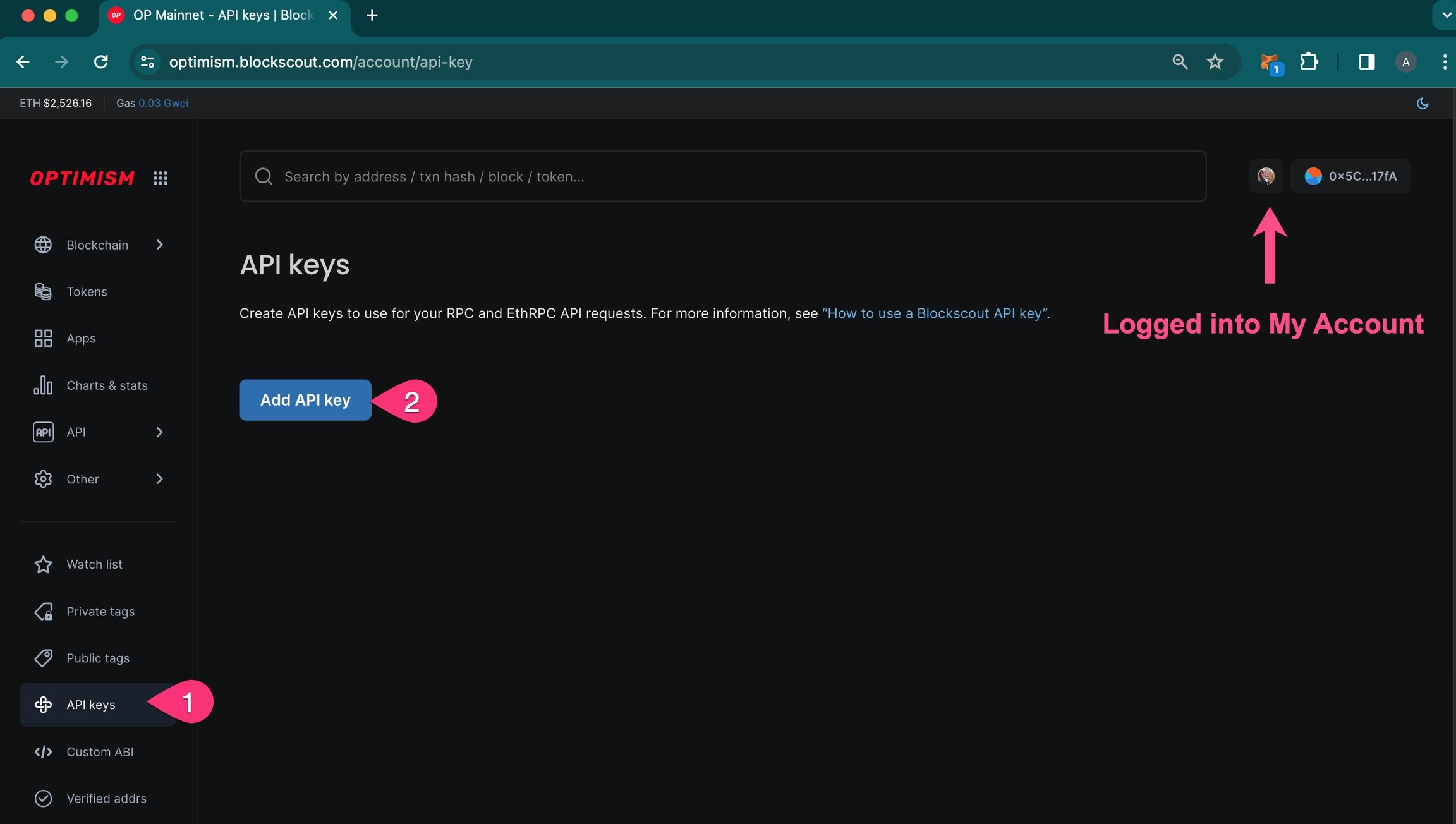
**1) Login to My Account in Blockscout** \<[*login instructions*](/using-blockscout/my-account)> to get started. Once logged in:
1. Go to API keys in the user menu.
2. Press Add API key.
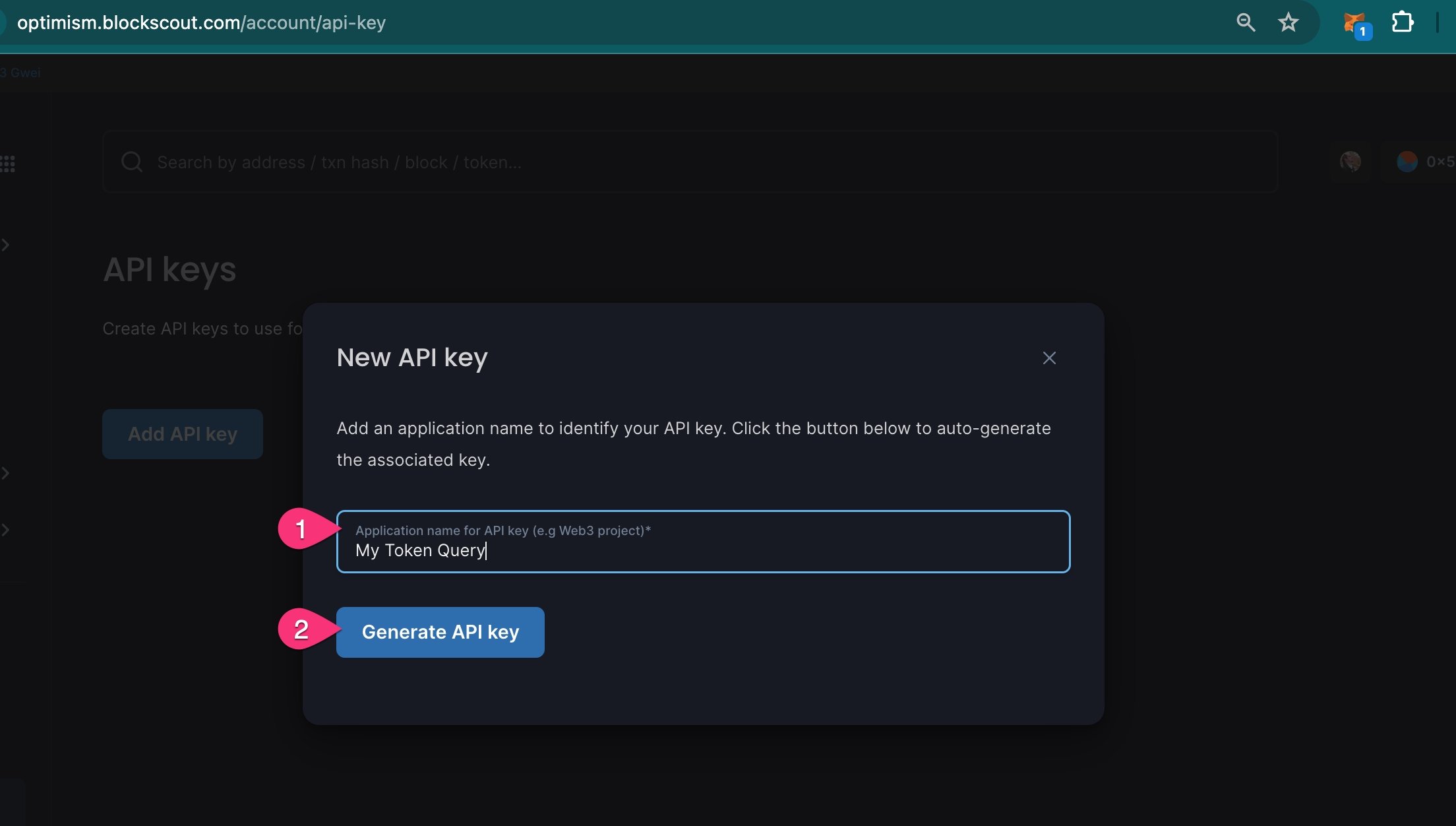
 **2)** **Fill in the Name field**. Add a Name for your API key. This is for your information only and to differentiate between different keys. Press **Generate API key.**
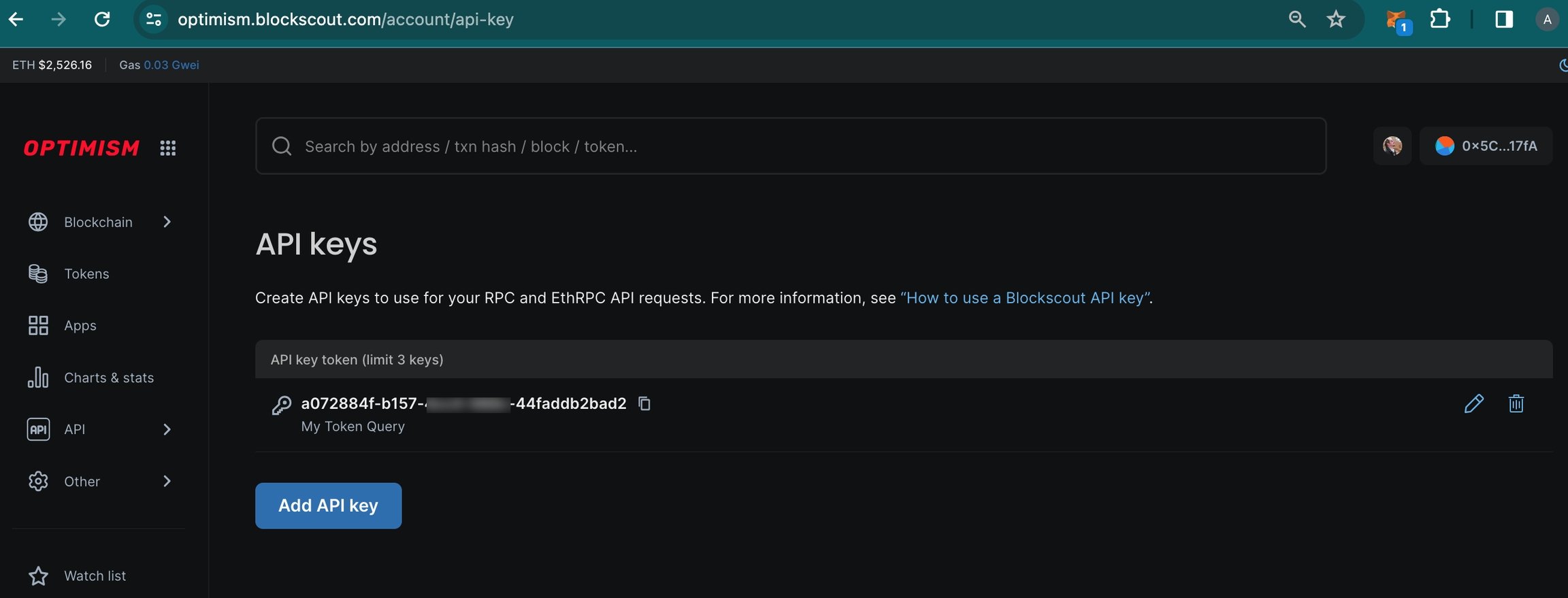
 **3) API key generated.** The API Key is now added to your API dashboard. You can copy the key or edit the name/delete the key at any time. In addition you can add 2 additional keys (up to 3 per account).
 ## Use API key
Add the following to the end of a query to use your API key: `&apikey=your-api-key`
For example, a query to get more info on USDT on Optimism with the API key `fdbfa288-1695-454e-a369-4501253a120`would be formatted as follows:
`https://optimism.blockscout.com/api?module=token&action=getToken&contractaddress=0x94b008aA00579c1307B0EF2c499aD98a8ce58e58&apikey=fdbfa288-1695-454e-a369-4501253a120`
For more info on RPC calls see the [RPC API Endpoints documentation](/devs/apis/rpc).
## Use API key
Add the following to the end of a query to use your API key: `&apikey=your-api-key`
For example, a query to get more info on USDT on Optimism with the API key `fdbfa288-1695-454e-a369-4501253a120`would be formatted as follows:
`https://optimism.blockscout.com/api?module=token&action=getToken&contractaddress=0x94b008aA00579c1307B0EF2c499aD98a8ce58e58&apikey=fdbfa288-1695-454e-a369-4501253a120`
For more info on RPC calls see the [RPC API Endpoints documentation](/devs/apis/rpc).